Employee records
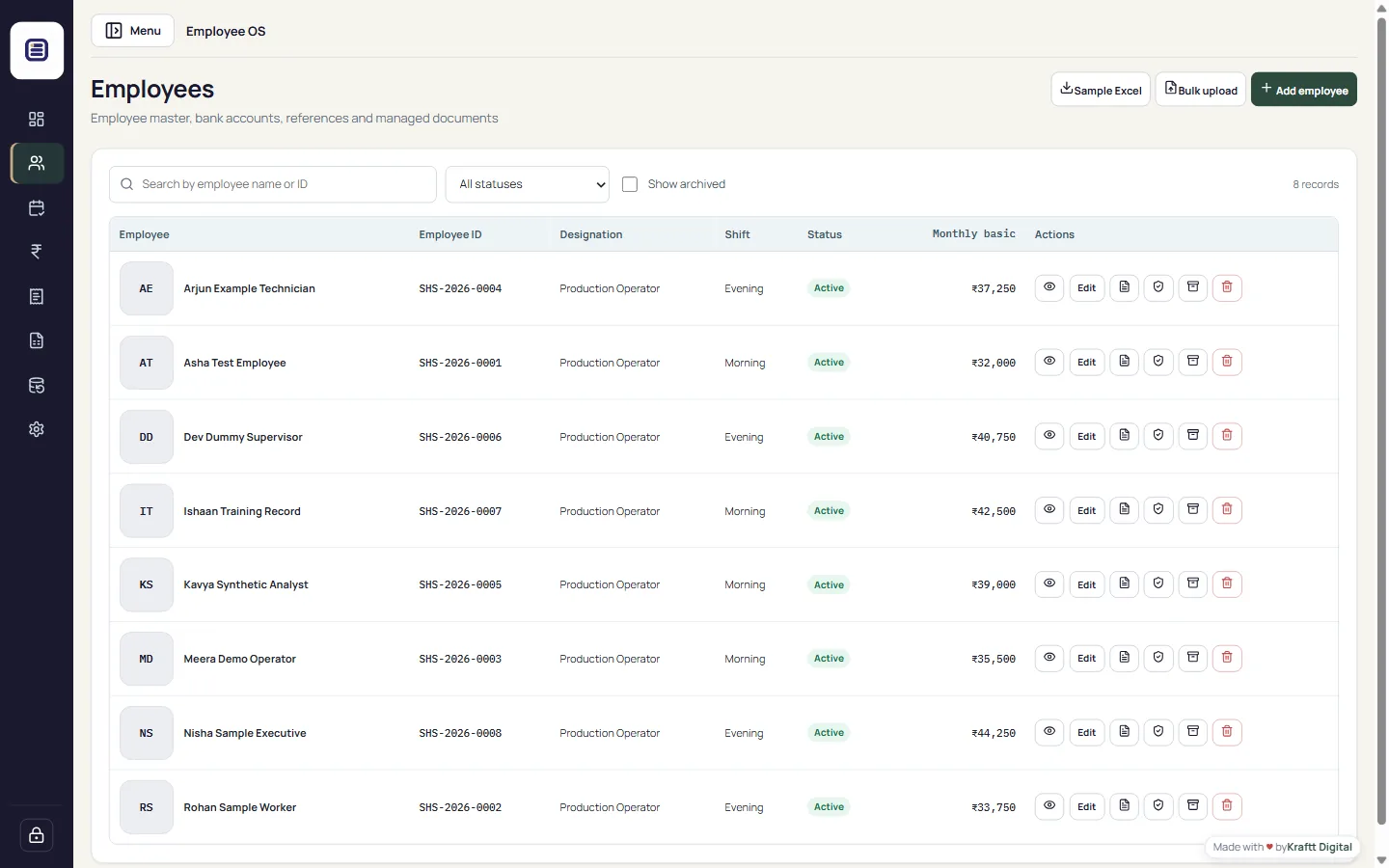
Maintain employment, personal, identification and bank details, references, photographs and managed documents. Sensitive values remain masked in normal views.

Windows x64 · Version 1.2.1
One practical desktop workspace for employee records, daily attendance, payroll, salary slips, reports and complete local backups.
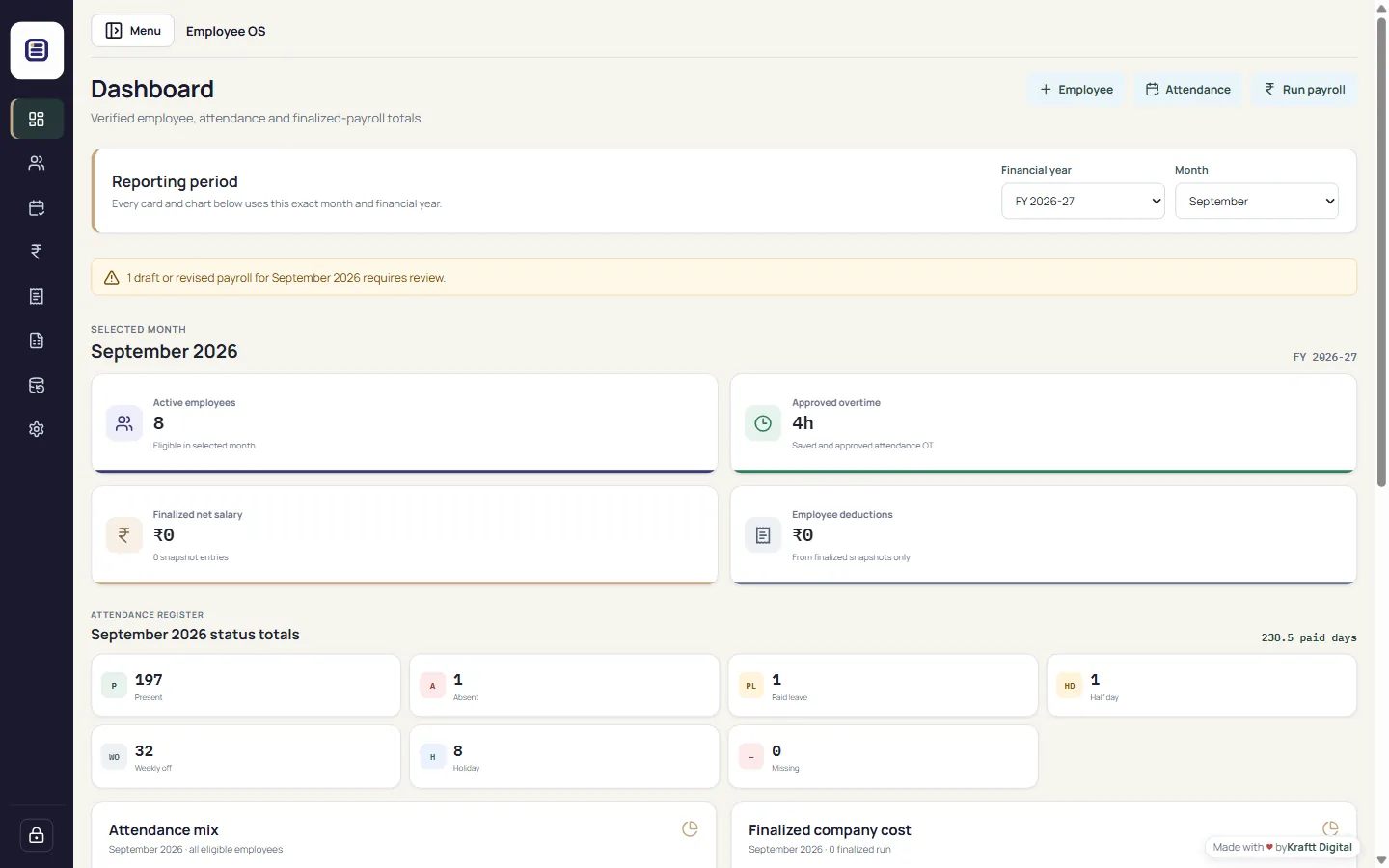
Built for daily operations
Employee OS keeps the core workflow connected without sending operational records to an online service.
Maintain employment, personal, identification and bank details, references, photographs and managed documents. Sensitive values remain masked in normal views.
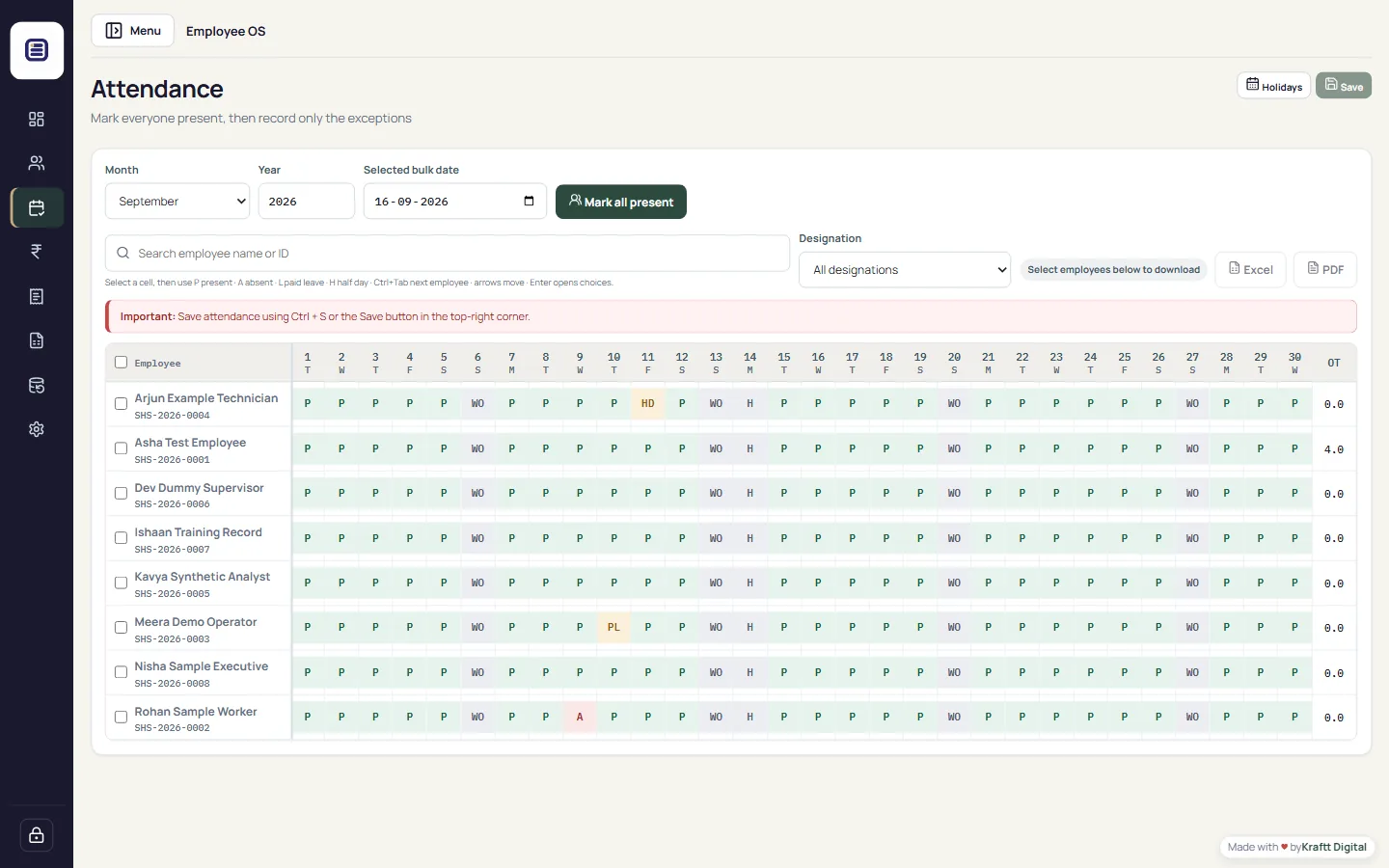
Mark a full date Present, search exceptions, use keyboard shortcuts, record holidays, half-days and approved overtime.
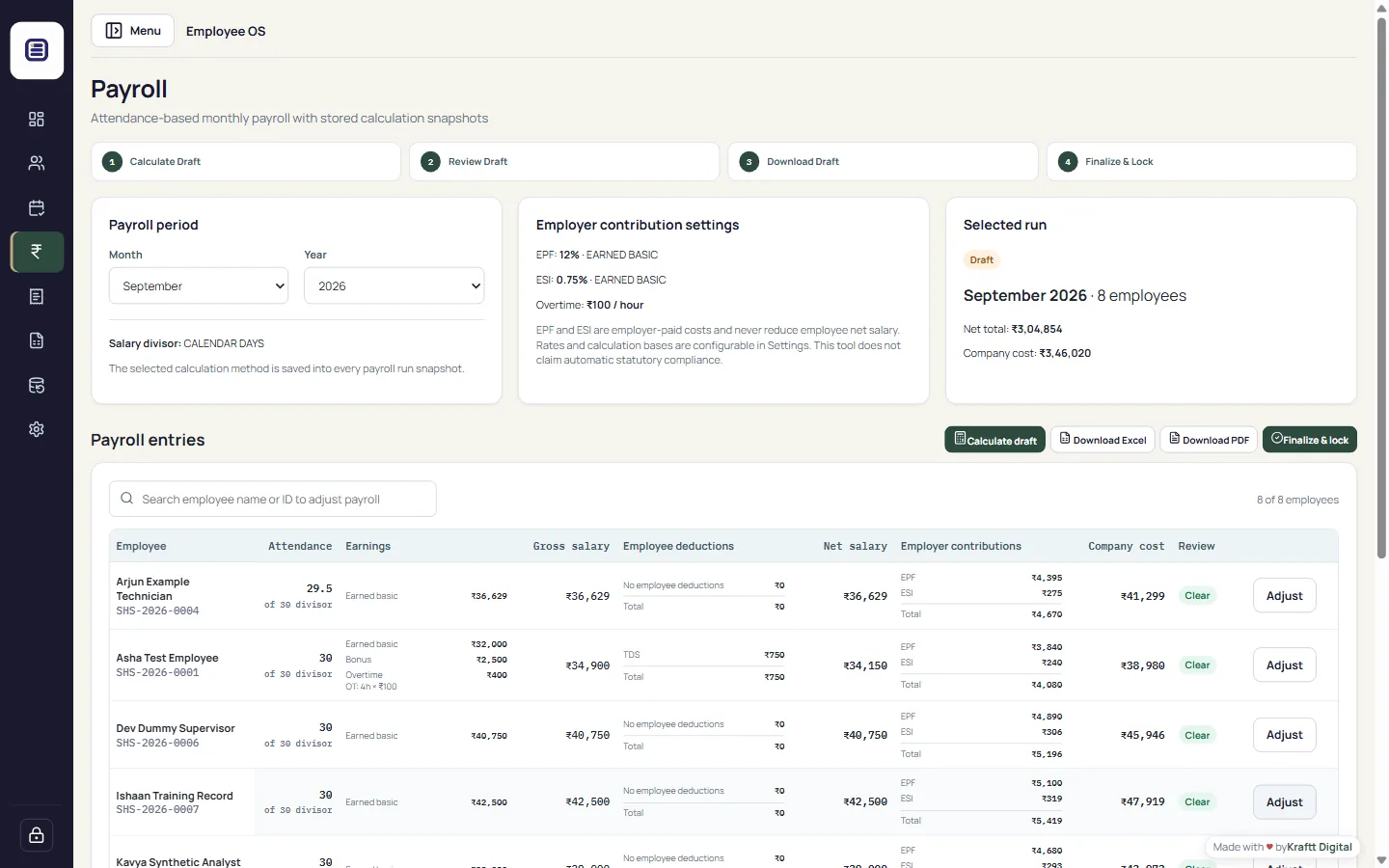
Review paid days, earned basic, earnings, employee deductions, employer contributions and total company cost before locking a month.
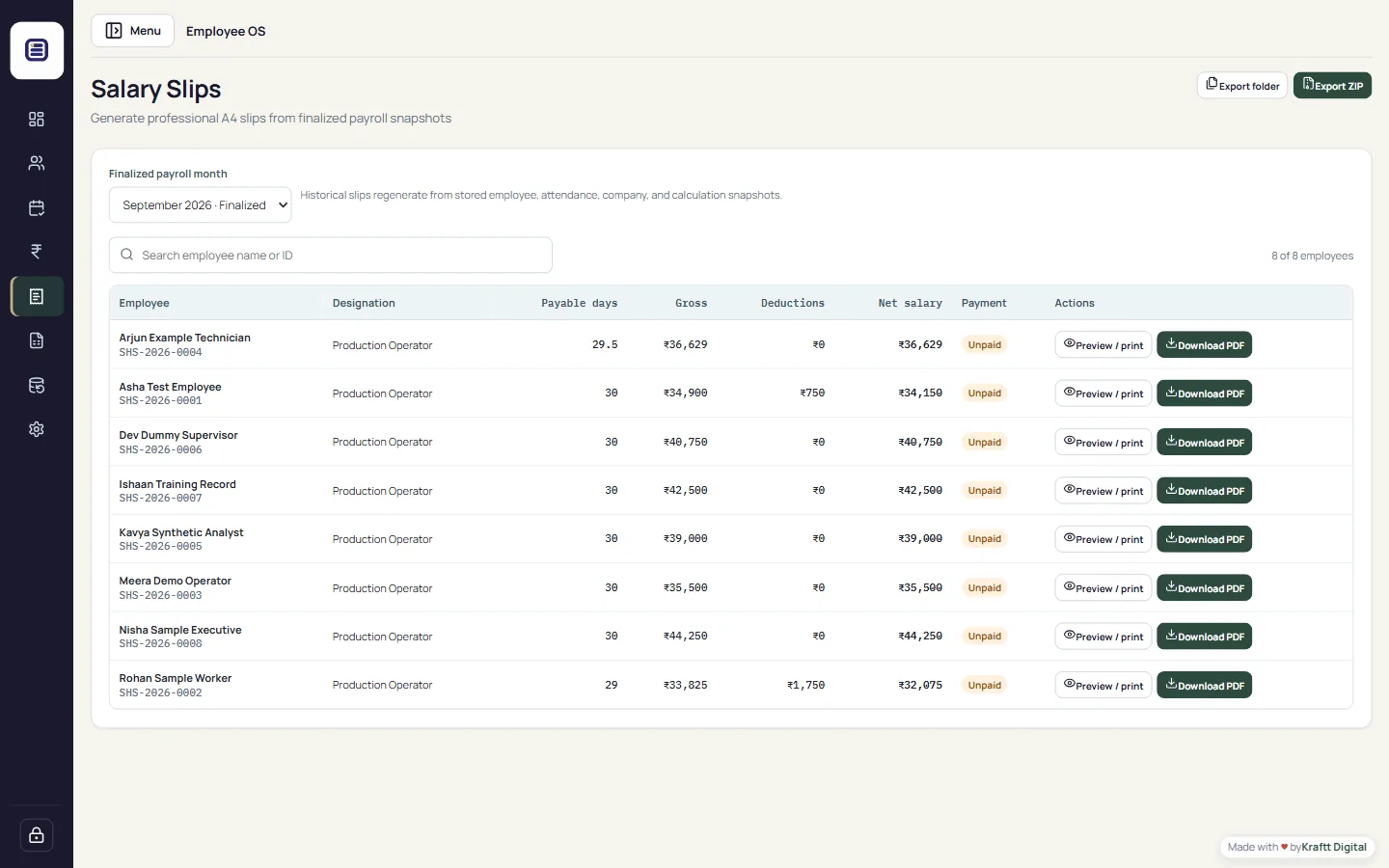
Generate professional individual or bulk PDF slips from stored payroll snapshots so historical values do not change later.
Export human-readable PDF and Excel reports for attendance, salary, overtime, EPF, ESI, TDS, allowances, deductions and payments.
Move existing records safely through Employee OS backup and restore. The backup includes the SQLite database, employee documents, photographs and company assets.
Read the Technical Manual
Designed around your computer
Employee profiles, Aadhaar and PAN fields, bank details, attendance, payroll, salary slips and attached documents are stored by the installed Windows application on the organization’s computer. Employee OS does not upload this operational data to Kraftt Digital.
See the workflow
The interface is optimized for common Windows laptop and desktop sizes, with keyboard-friendly attendance and clear payroll review stages.
Simple Windows setup
Submit the secure form and use the protected 30-minute download link. Normal browser retries and resume requests are supported.
Run the Windows x64 installer. The current installer is unsigned, so Windows may show an unknown-publisher warning.
Create the primary administrator account and enter your company settings.
Create a full Employee OS backup and keep a copy on protected external storage.
System requirements
Current release
Complete the security check to receive a protected 30-minute download link for version 1.2.1. The link supports up to five authenticated requests for browser scanning, retry and resume behavior.
32dc71ce…e6b353The public website package never contains company records. Existing records move separately through Backup & Restore.
Questions before installing
No. Operational employee, attendance, payroll, Aadhaar, PAN, banking and document data remains in the locally installed desktop application. The website processes only the download-form information you submit.
Yes. After installation, normal operation is offline. Internet access is only needed to obtain the installer from this website.
Yes. Create a complete backup in Employee OS on the old PC, install a compatible version on the new PC, then validate and restore that backup. The installer ZIP alone does not contain existing records.
No. It is a configurable payroll tool and does not submit statutory filings or claim automatic legal compliance.
Version 1.2.1 is not digitally signed, so Windows may display an unknown-publisher or Smart App Control warning. A trusted signed build is required to eliminate that warning reliably.